How I reduced failed transactions @

How I reduced failed transactions @

How I reduced

failed transactions @

"Frequent errors in data started causing trust issues for our long term partner in our system. We had to come up with a way to proactively monitor and fix all the API transaction issues. "
THE PROBLEM

THE PROBLEM

What we tried to solve

What we tried to solve

  • When UKG our long term partner started escalating concerns due to data inconsistencies we needed a way to improve the strained relationship.

  • The main issue was we didn't even have a way to monitor the transaction errors.

  • To make matters worse one of the releases was causing a lot of transaction errors in the system.

  • We had to find a way to proactively monitor and fix data mismatches due to transaction errors than the current reactive manner.

  • When UKG our long term partner started escalating concerns due to data inconsistencies we needed a way to improve the strained relationship.

  • The main issue was we didn't even have a way to monitor the transaction errors.

  • To make matters worse one of the releases was causing a lot of transaction errors in the system.

  • We had to find a way to proactively monitor and fix data mismatches due to transaction errors than the current reactive manner.

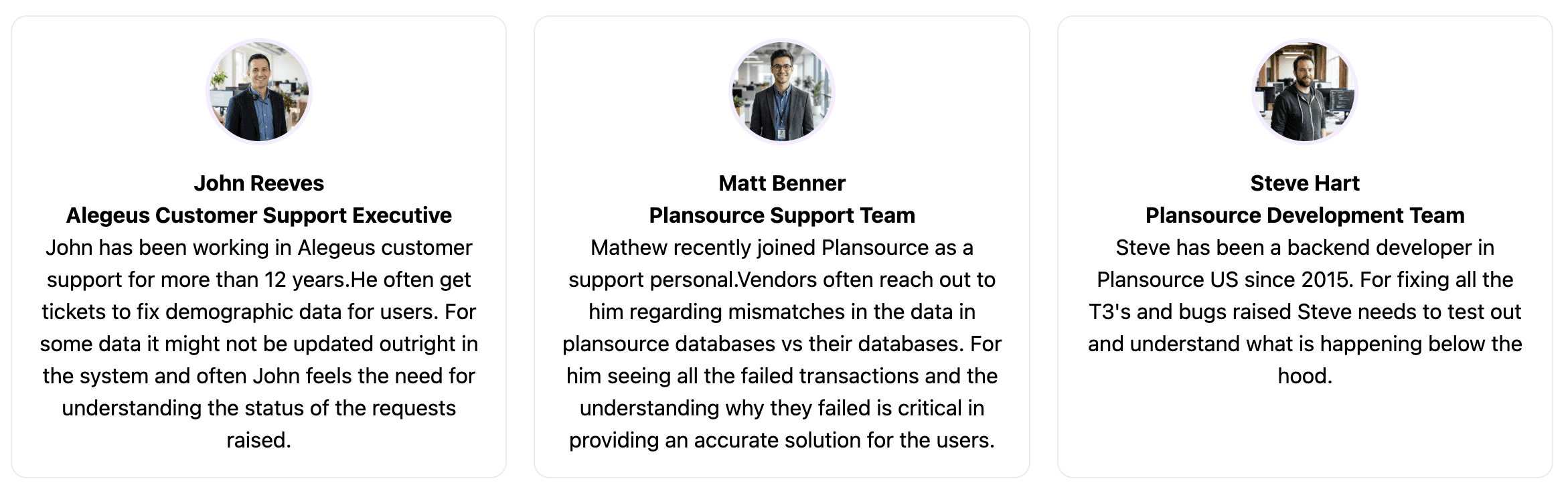
Users

Users

Users

THE PROCESS

THE PROCESS

User Research

"We started by trying to understand the value this tool would bring in"

  • Even though we hypothesized that the problem as real and required action, we had to validate this.

  • So we decided to start the project by interviewing our internal support team.

  • We also tried to understand their current process, how they were handling support tickets regarding the transaction errors and how beneficial it would be for them if we introduced a tool like this.

  • It came to our notice currently support teams function reactively than proactively.

  • Currently when there is an error happening in a transaction, users report it in a later stage, when they notice and our support team fixes it.

  • There was no way for them to monitor all the API Transactions that happened and the status of them.


Using card sorting to simplify the data to be shown
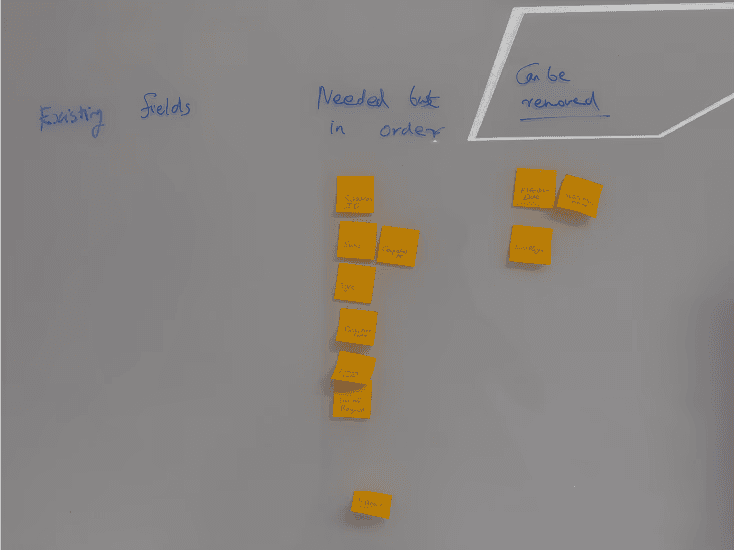
  • One key insight was that they were more concerned about transactions that didn't go through vs the ones that did.

  • We listed out different errors that could happen and how probable it was to happen.

  • We also figured out the severity and how they handled each of these type of errors.

  • We checked what was the data they wanted to see in each of these scenarios and what realated actions could be automated from the systems side.

  • Next we did a card sorting excercise with the data they mentioned and tried to figure out if all of them were essential to be viewed as well as in what order.

Ideation

Ideation

"Once we were clear of the requirements we started exploring ideas for it"

  • We reworked the expected userflow to focus on the errors to make the process more proactive than reactive and discussed it with the users.

  • For a flow like that we figured out a dashboard approach would be better.But at the same time we should be providing user capability to search and reach a particular transaction easily.

Reworked dashboard wireframe
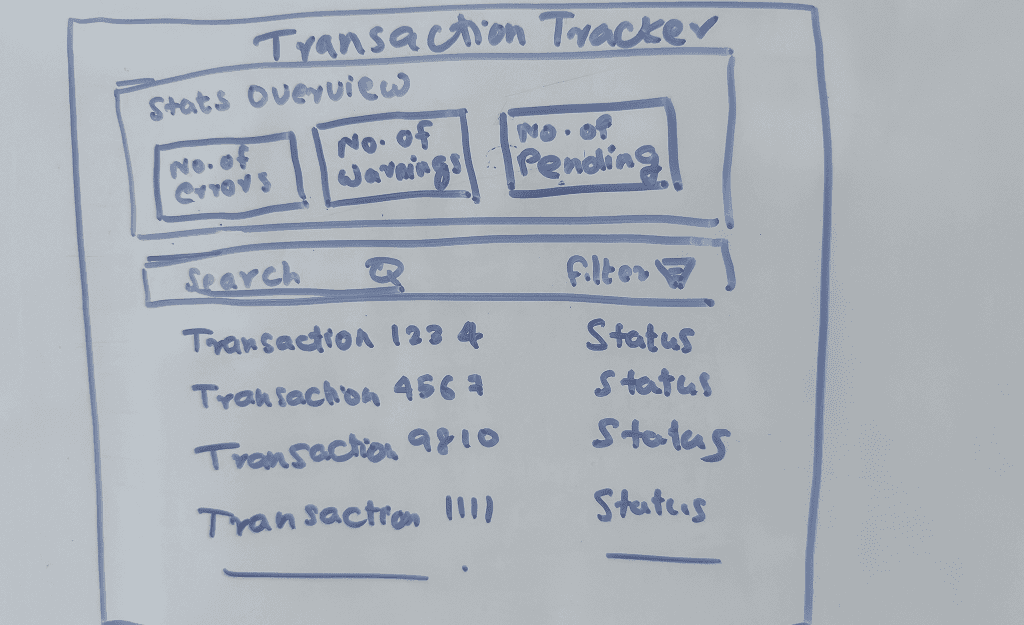
  • Our solution was to incorperate both in the dashboard.

  • There would be a summary section which would give a top level view of the transactions.

  • Then there would be all the transactions listed below which could be searched or filtered upon so that users could easily drill down to particular transactions easily.

  • We also created secondary flows and edge cases based on these.

Design

We presented our findings to the key stakeholders and users and got inputs.

  • Then we elaborated the flows and came up with the base UX design as wireframes.

  • After that we user tested the wireframes using an unmoderated study with 5 users in userlytics to figure out the bottlenecks in the flow
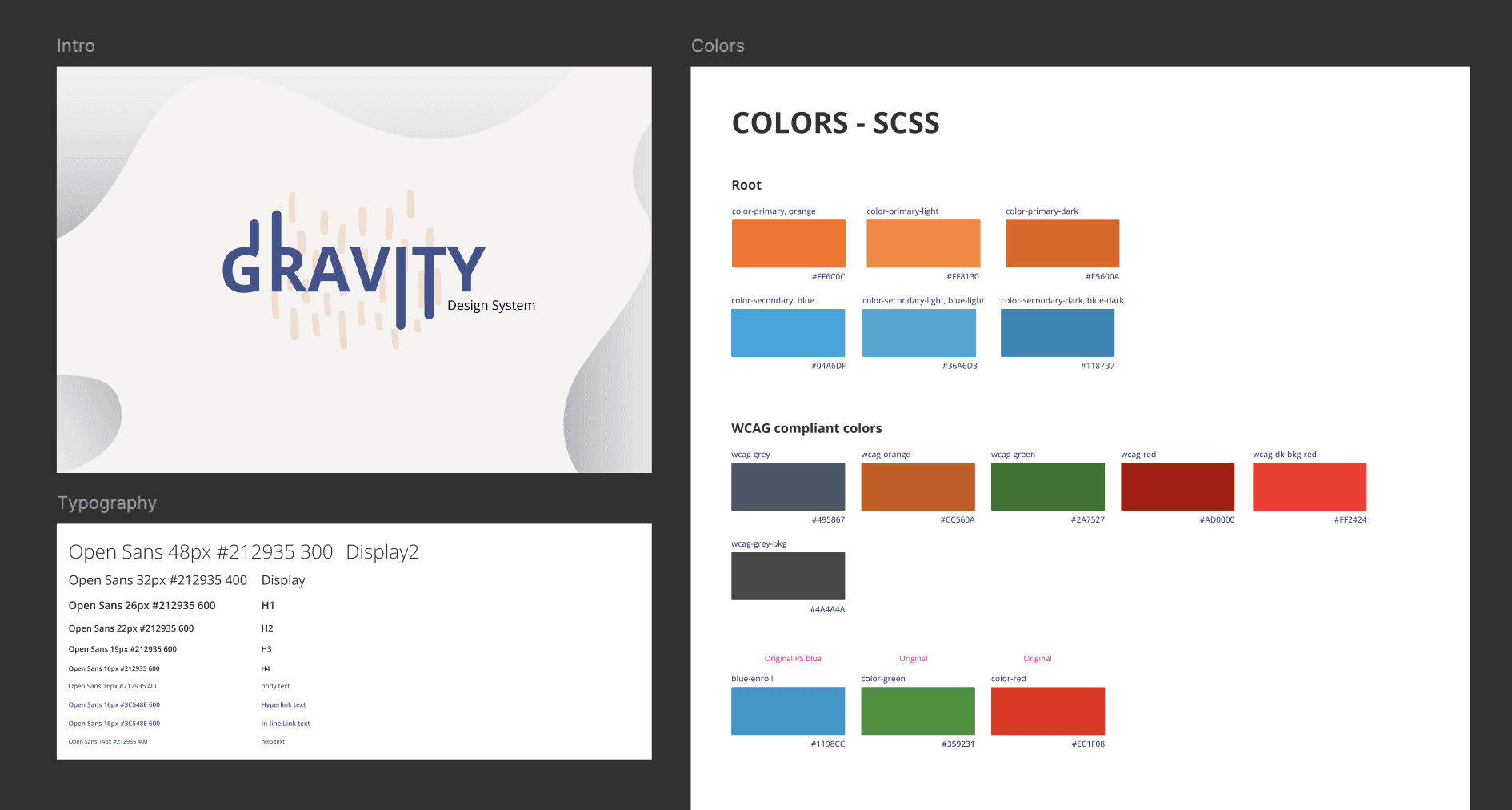
Next we followed it up with the visual design.

  • For heavy data application it is better to keep the design simple and minimal so that it doesn't overload the user.

  • We already have a design system - Gravity 2.0 in place which abides by that principle. So styling was already defined.

  • The UI was then prototyped

Usability Testing & Follow Up

Usability Testing &

Follow Up

To validate the designs and the prototype was thoroughly tested with internal and external users in a moderated manner.

  • Based on the testing there were minor amends done like fixing some columns in the table of transactions, adding more filtering options etc.

  • Finallly the designs were shipped for development. The implementation once done was again checked by us.

  • We also followed up with users and collected their feedback, which were generally positive except for some minor hiccups in edge cases.
Design walkthrough

Design walkthrough

Consider Matt, a member of the plansource Support Team.

Its Open enrollment season and there are thousands of users enrolling into benefits each day.

Consider Matt, a member of the plansource Support Team.

Its Open enrollment season and there are thousands of users enrolling into benefits each day.

Consider Matt, a member of the plansource Support Team.

Its Open enrollment season and there are thousands of users enrolling into benefits each day.

Matt opens Transaction Tracker Tool.

Matt opens Transaction Tracker Tool.

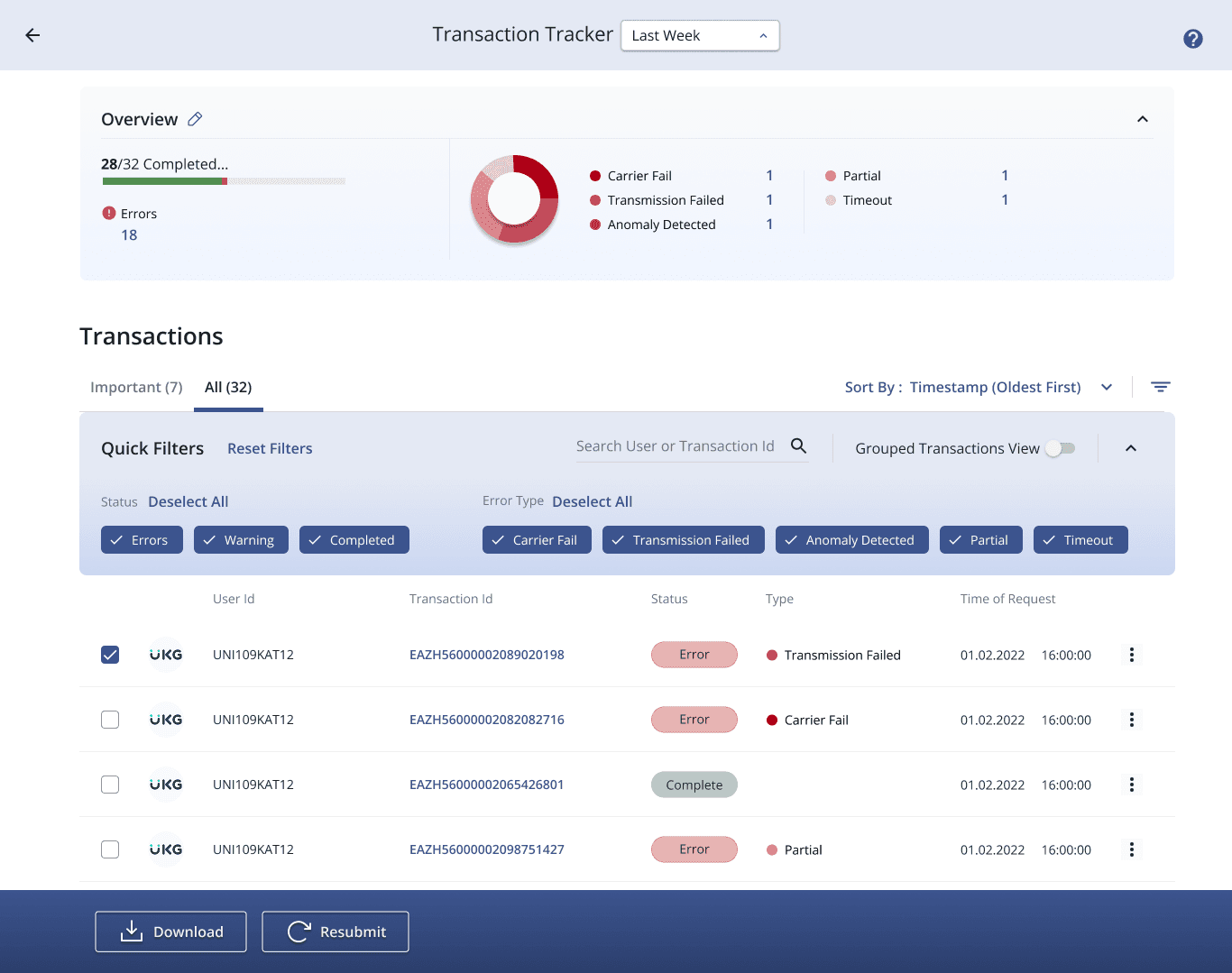
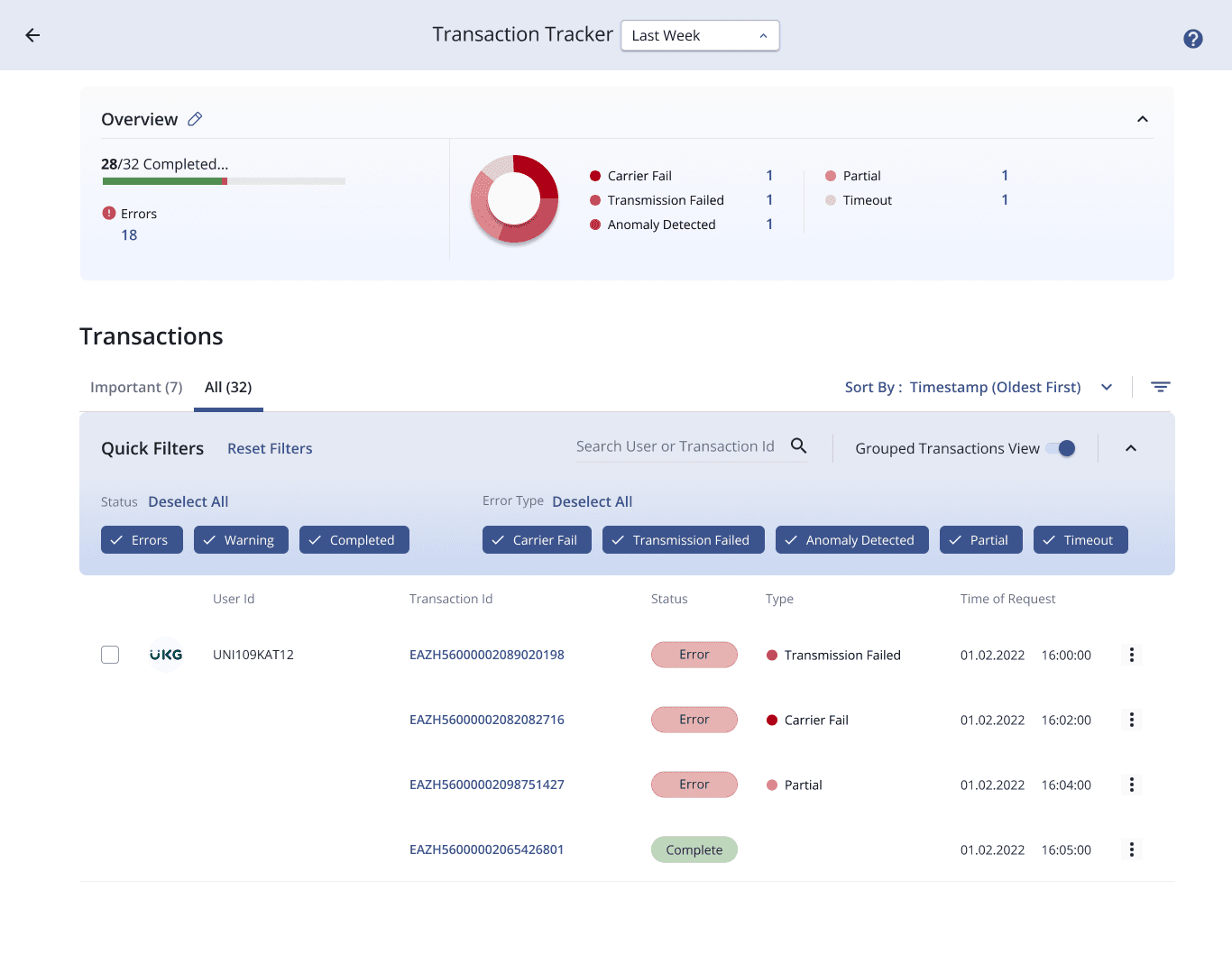
In the top section Matt can view an overview of all the transactions that has happened during the selected period.(here : Last Week) It showcases the number of transactions that have been completed, are in error state and in warning state. It also shows a split up of all the errors so that the support team could act upon it.

In the top section Matt can view an overview of all the transactions that has happened during the selected period.(here : Last Week) It showcases the number of transactions that have been completed, are in error state and in warning state. It also shows a split up of all the errors so that the support team could act upon it.

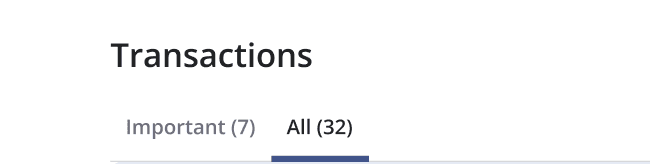
The bottom section lists the transactions. By default it will show only the important once (Errors that should be acted upon) to reduce clutter. But by switching to all in the tabs you could view the entire transactions list in that period.

The bottom section lists the transactions. By default it will show only the important once (Errors that should be acted upon) to reduce clutter. But by switching to all in the tabs you could view the entire transactions list in that period.

Matt could view all the transactions, their status and error type if its in error state in the bottom section.

To make it easy to drill down we also introduced a quick filter section were all the common filters would be directly available as a switches

Matt could view all the transactions, their status and error type if its in error state in the bottom section.

To make it easy to drill down we also introduced a quick filter section were all the common filters would be directly available as a switches

In a typical flow Matt can just get into the Important tab select all the errors and bulk resubmit them to see if it gets fixed by it.

In a typical flow Matt can just get into the Important tab select all the errors and bulk resubmit them to see if it gets fixed by it.

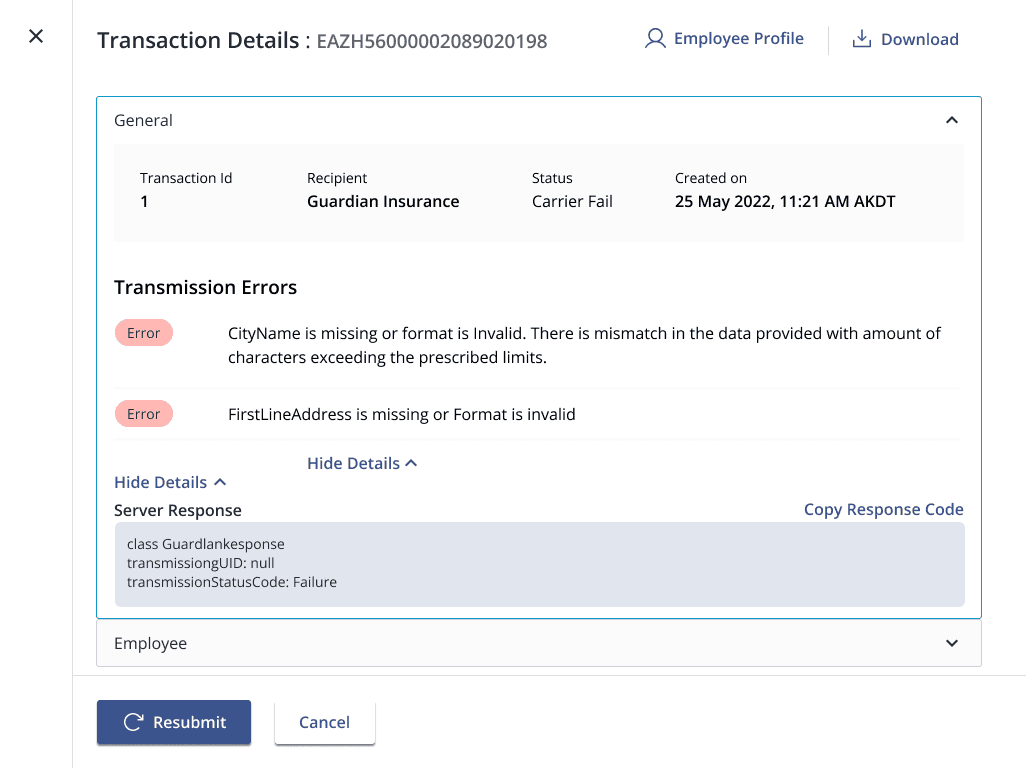
If there are still errors Matt could get the details by selecting the individual transactions download the details and share it with the developers to get them fixed.

If there are still errors Matt could get the details by selecting the individual transactions download the details and share it with the developers to get them fixed.

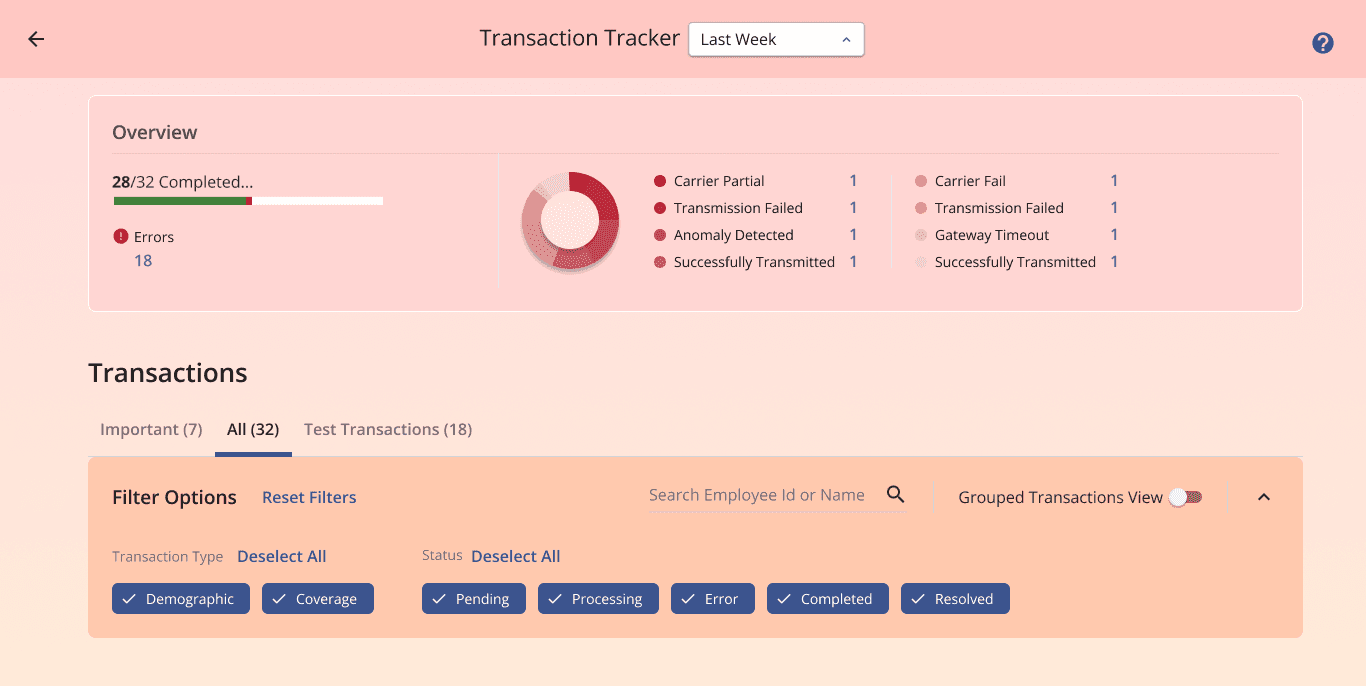
Since the tool was to be provided to our brokers and clients as well we also added provision to white label it. For instance UKG could change the styling easily in the tool configuration and provide it to their clients.

Since the tool was to be provided to our brokers and clients as well we also added provision to white label it. For instance UKG could change the styling easily in the tool configuration and provide it to their clients.

THE OUTCOME

THE OUTCOME

Impact and results

Impact and results

Drastically reduced failed transactions. The tool helped in giving prompt response from customer support teams.

Improved efficiency of how support tickets were handled.

Improved efficiency of how support tickets were handled.

Better understanding of status of all integration requests were provided to vendors.
Was used widely in debugging by developers and testers.

Was used widely in debugging by developers and testers.

RElated CASESTUDIES

RElated CASESTUDIES

Reach Out

Reach Out