How we reduced OPEX for support teams @

How we reduced OPEX for

support teams @

How we reduced OPEX for support teams @

"When a major competitor subcontracted a product to Plansource, we faced a sudden surge in new clients. To scale without increasing headcount, I led the redesign of our configuration process to significantly boost onboarding speed and efficiency."

"When a major competitor subcontracted a product to Plansource, we faced a sudden surge in new clients. To scale without increasing headcount, I led the redesign of our configuration process to significantly boost onboarding speed and efficiency."

THE PROBLEM

THE PROBLEM

What we tried to solve

What we tried to solve

  • When Alight our key competitor decided to sunset their product catered for smaller clients (-1000 lives) we subcontracted the clients and had to move them to our ecosystem in a short span of time.

  • Typically, our in house support team took months to complete implementation for a client. We had to speed this up somehow.

  • Secondly we wanted to retain these clients past the short sub contract period.

  • For this we had to rework our renewal process and make it easier and intuitive for them to do the annual renewals.

  • When Alight our key competitor decided to sunset their product catered for smaller clients (-1000 lives) we subcontracted the clients and had to move them to our ecosystem in a short span of time.

  • Typically, our in house support team took months to complete implementation for a client. We had to speed this up somehow.

  • Secondly we wanted to retain these clients past the short sub contract period.

  • For this we had to rework our renewal process and make it easier and intuitive for them to do the annual renewals.

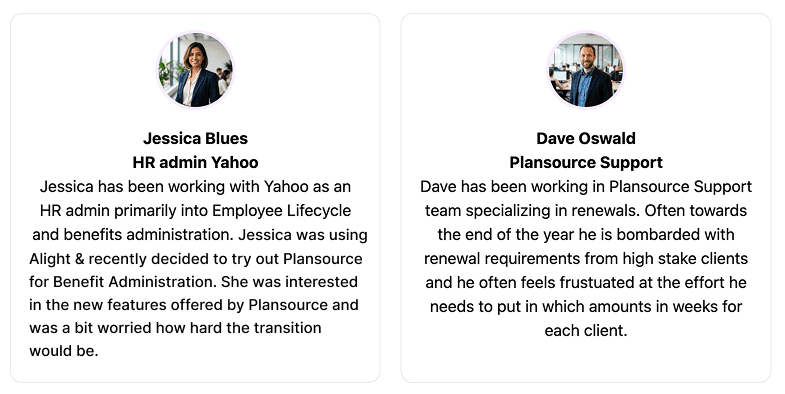
Users

Users

Users

THE PROCESS

THE PROCESS

User Research

"We started by trying to understand current process."

"We started by trying to understand current process."

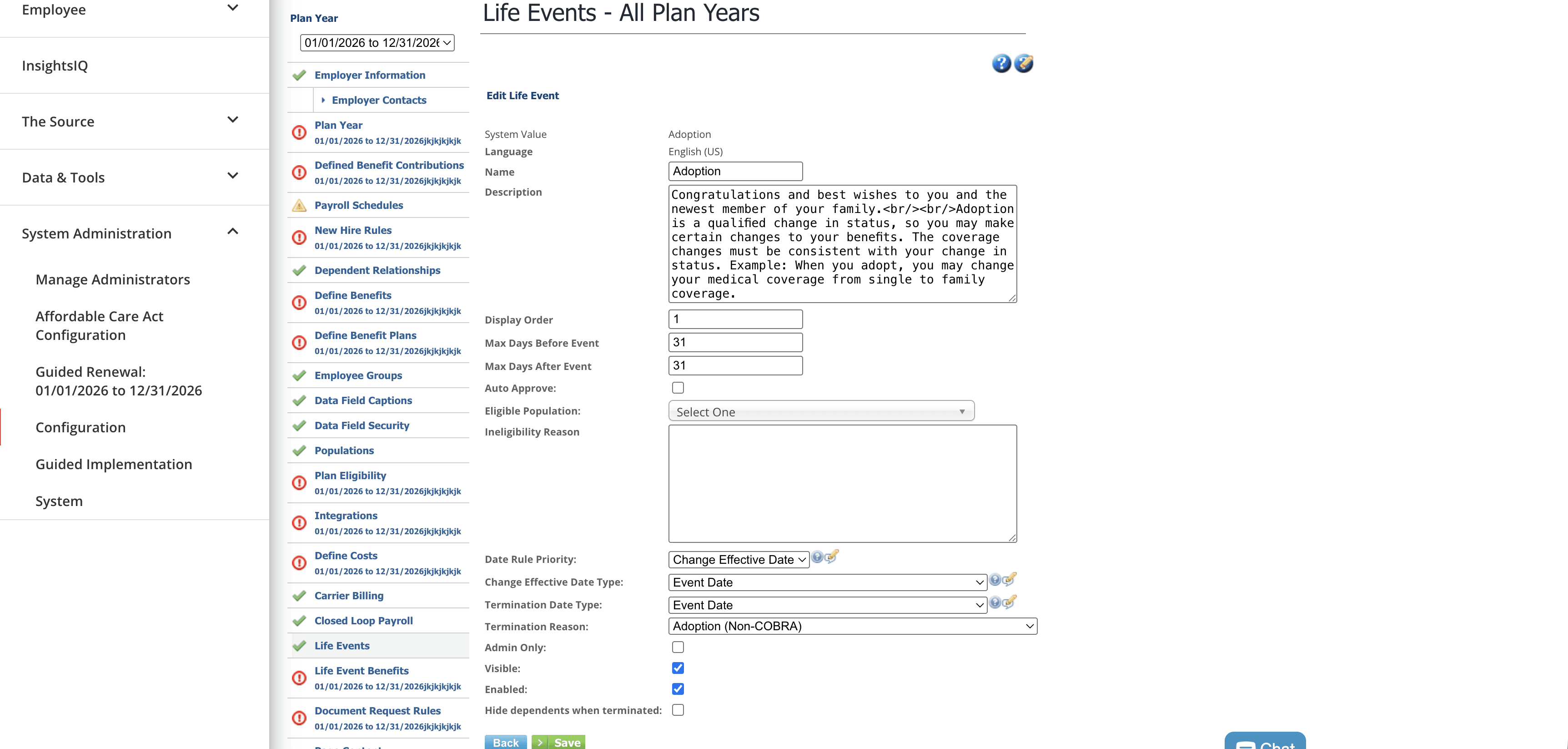
Old Configuration portal

  • We conducted a focus group session with our internal support teams mapping their current workflows.

  • We Discovered we might be able to leverage the existing configuration reports that clients bring from previous platforms.

User Journey Mapping with Support Team
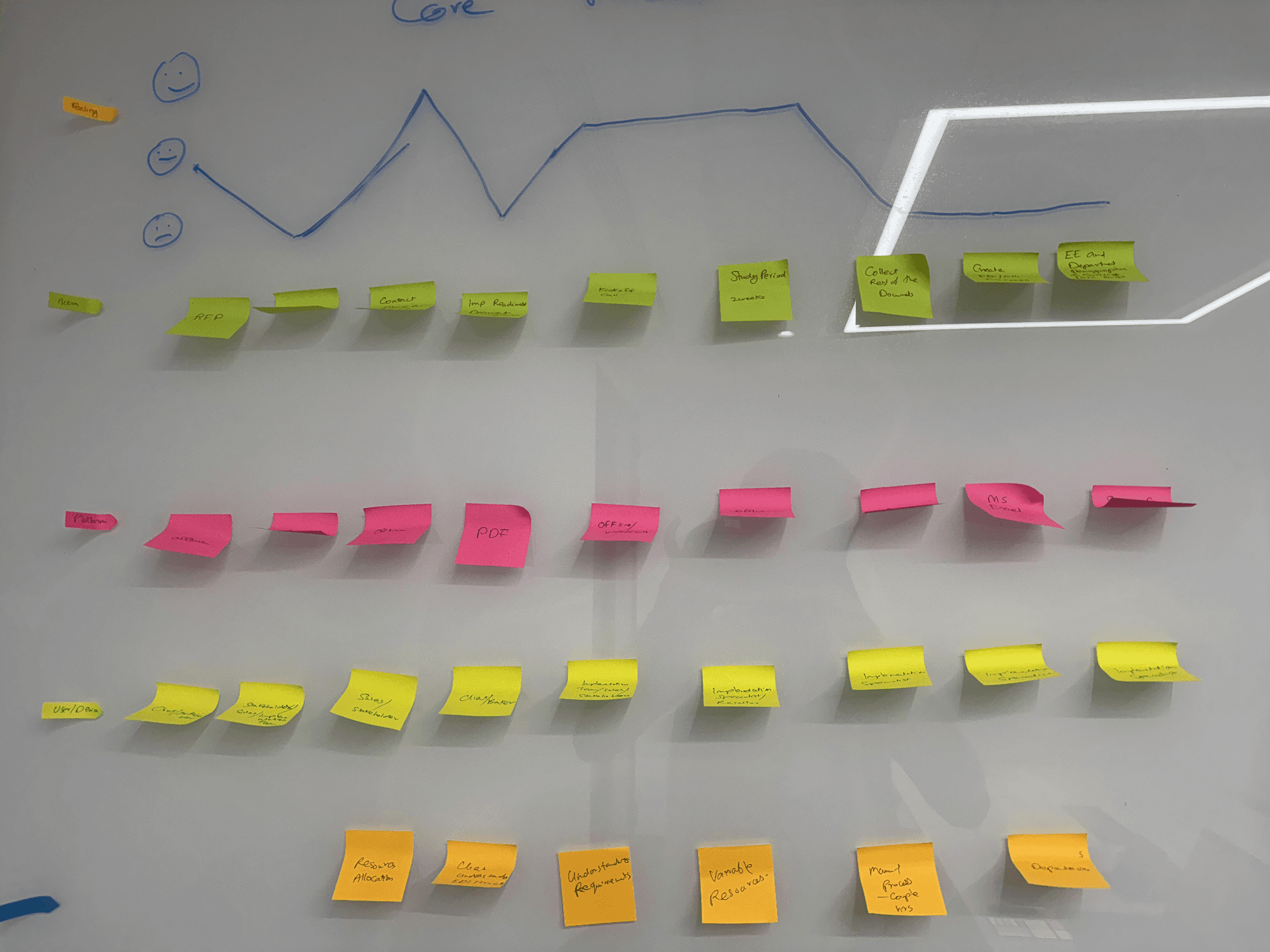
  • We also connected with a few client HR's to understand bottlenecks they faced and their insights on improving the process

  • What we learned is employers generally prefered to retain their previous years configurations if possible 80% of the time.

Verification

To validate our insights we employed help from our internal support team and checked how often users tried to retain the same configurations. The results were aligning with what we learned from our research.

Ideation

"To speed up configurations our idea was to introduce import functionalities."

"To speed up configurations our idea was to introduce import functionalities."

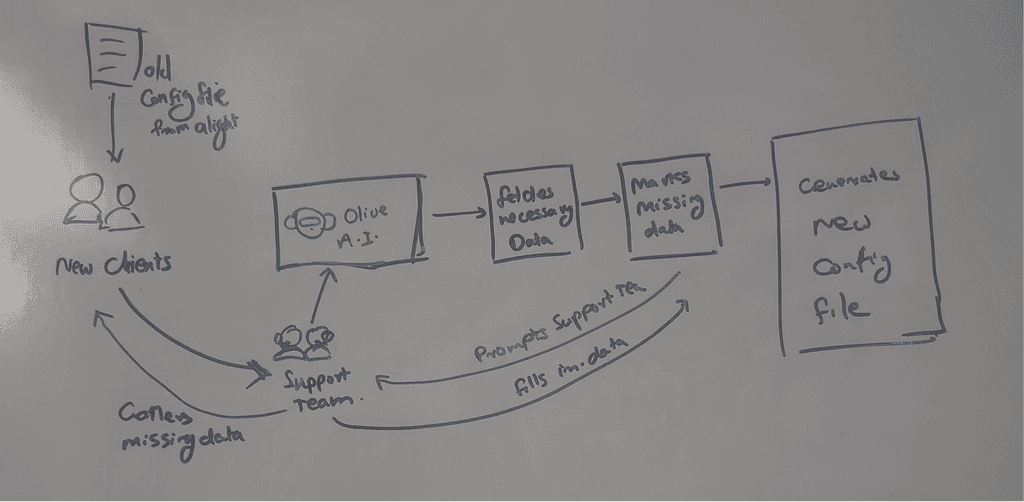
  • Support team can collect their previous configuration files from clients. We would leverage A.I. to fetch information from the files and auto populate most of the data for support teams.

  • Other ideas we explored are considering integrations with other similar platforms,Using templates, Automating configurations with AI etc.

  • We again discussed with the users and gathered their feedback.
Restructuring the flow

Next we revisited the entire configuration flow.

  • We checked if there were any sections of configurations which are redundant/outdated and could be hence removed.

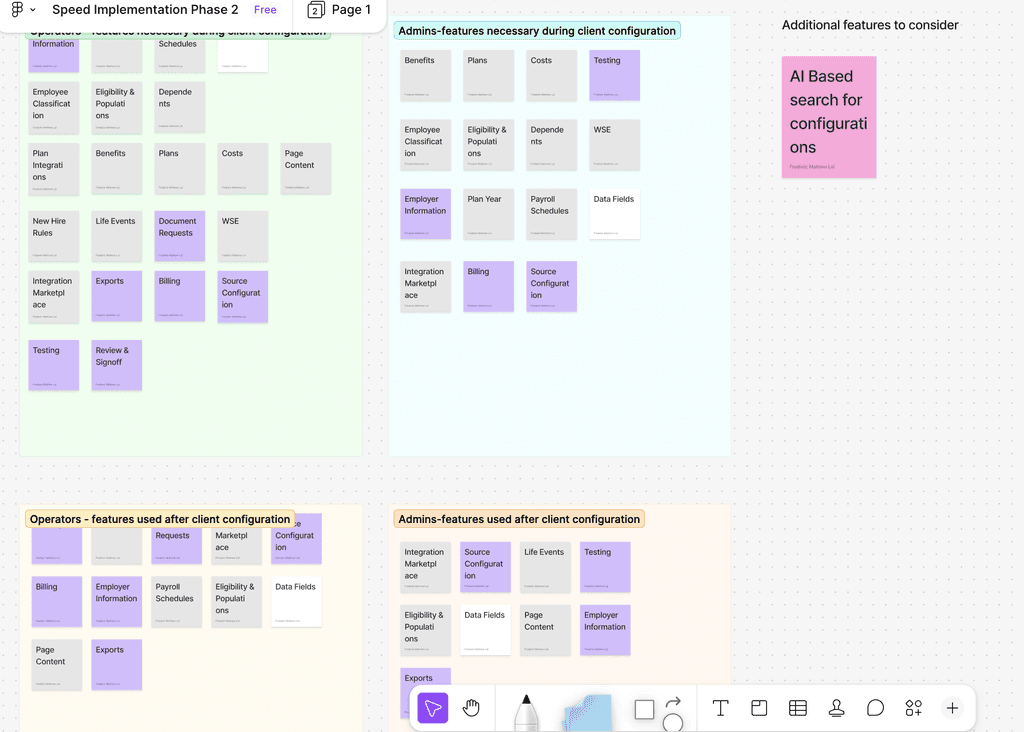
  • Next via card sorting by the focus group,we classified the sections into three - those that could be auto filled, Those that could be auto filled but requires mandatory user inspection and those that could not be filled from previous data.

  • We also did a card sorting to understand how sections could be grouped, what is the usual order they fill data etc.

  • Accordingly user flows were created

Design, Prototyping & Testing

Due to time constraints we skipped wireframing and decided to directly go into prototyping.

  • Using the user flows we created the prototypes for each section.

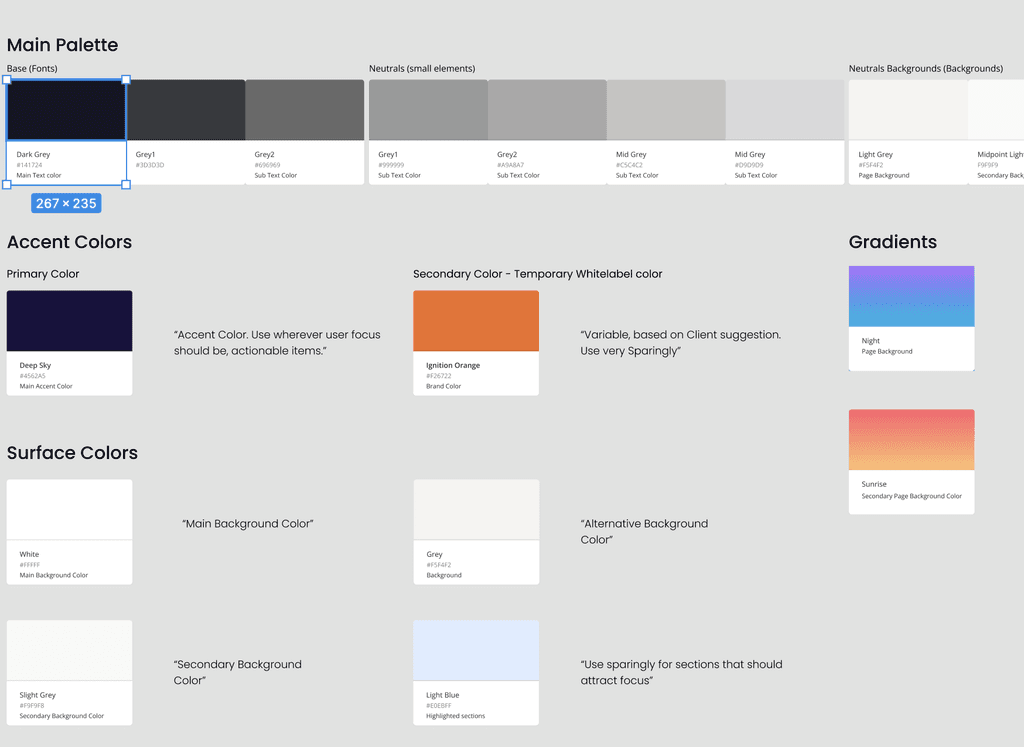
  • Since it was a separate tool we used our Gravity 3.0 design system for styling
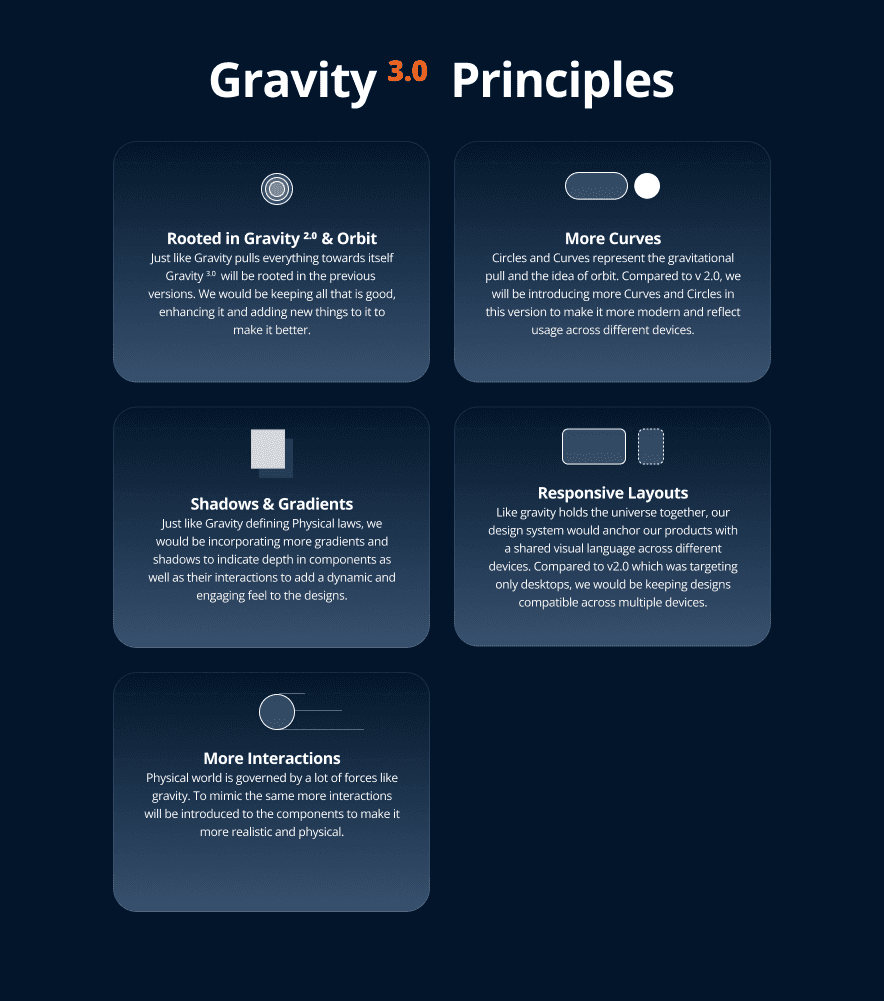
  • After each section was prototyped they were validated by usability testing with users and changes were made and passed on to dev team for implementation.

  • Often while implementation was happening for one section we were working on design for an upcoming section. This put us under tight pressure. But we were able to successfully complete the project in planned time.

Reception

After the entire tool was implemented we did check with the support teams for the feedback.

  • The response we received was overwhelmingly positive.

  • For the work we did in that short time frame it was really rewarding.

Design walkthrough

Design walkthrough

Consider Dave our typical Plansource Support guy.

Dave wants to complete Configurations for a new Client

Consider Dave our typical Plansource Support guy.

Dave wants to complete Configurations for a new Client

Consider Dave our typical Plansource Support guy.

Dave wants to complete Configurations for a new Client

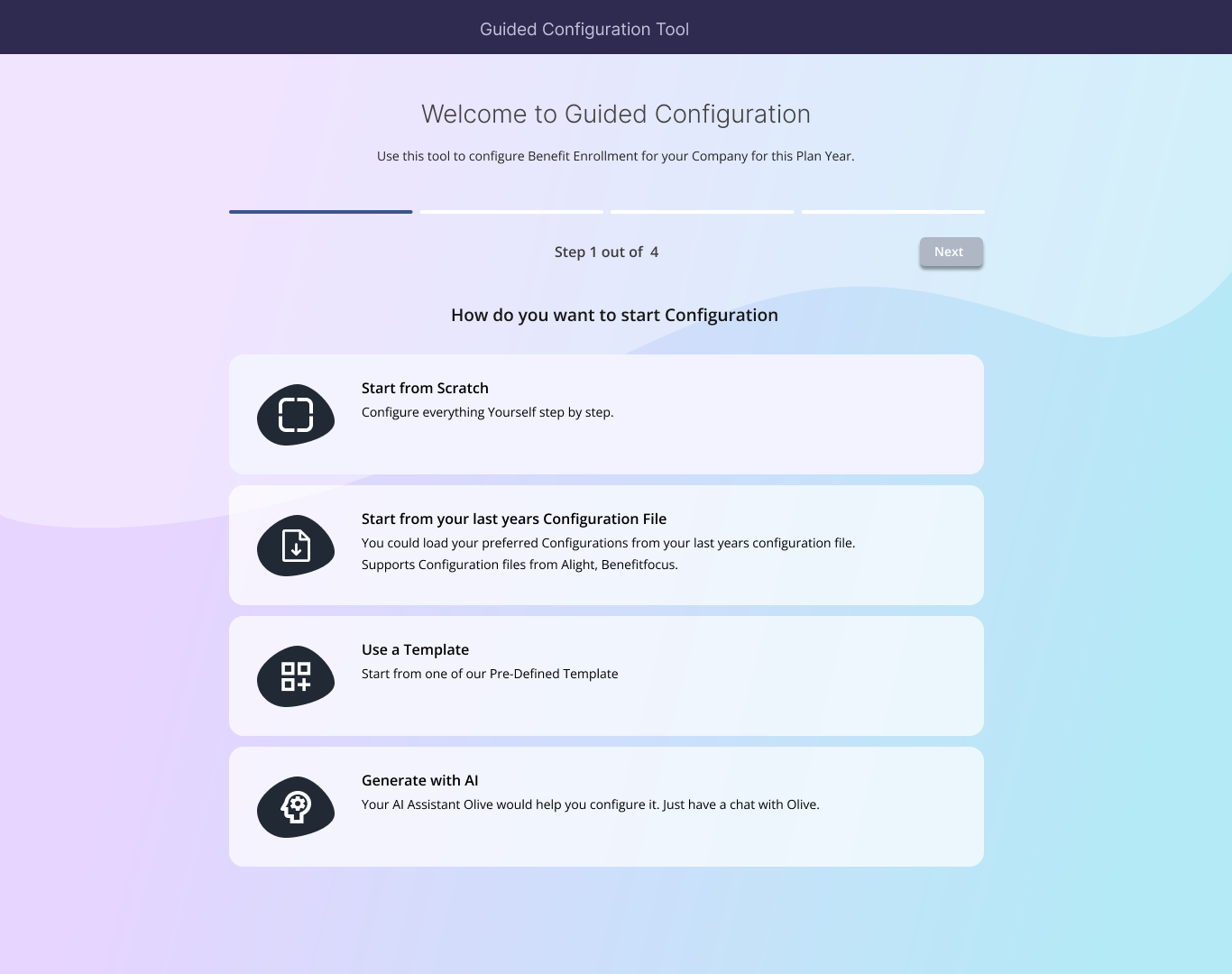
Dave Opens Guided Configuration Tool. He is greeted with 4 ways to complete configuration.

Dave Opens Guided Configuration Tool. He is greeted with 4 ways to complete configuration.

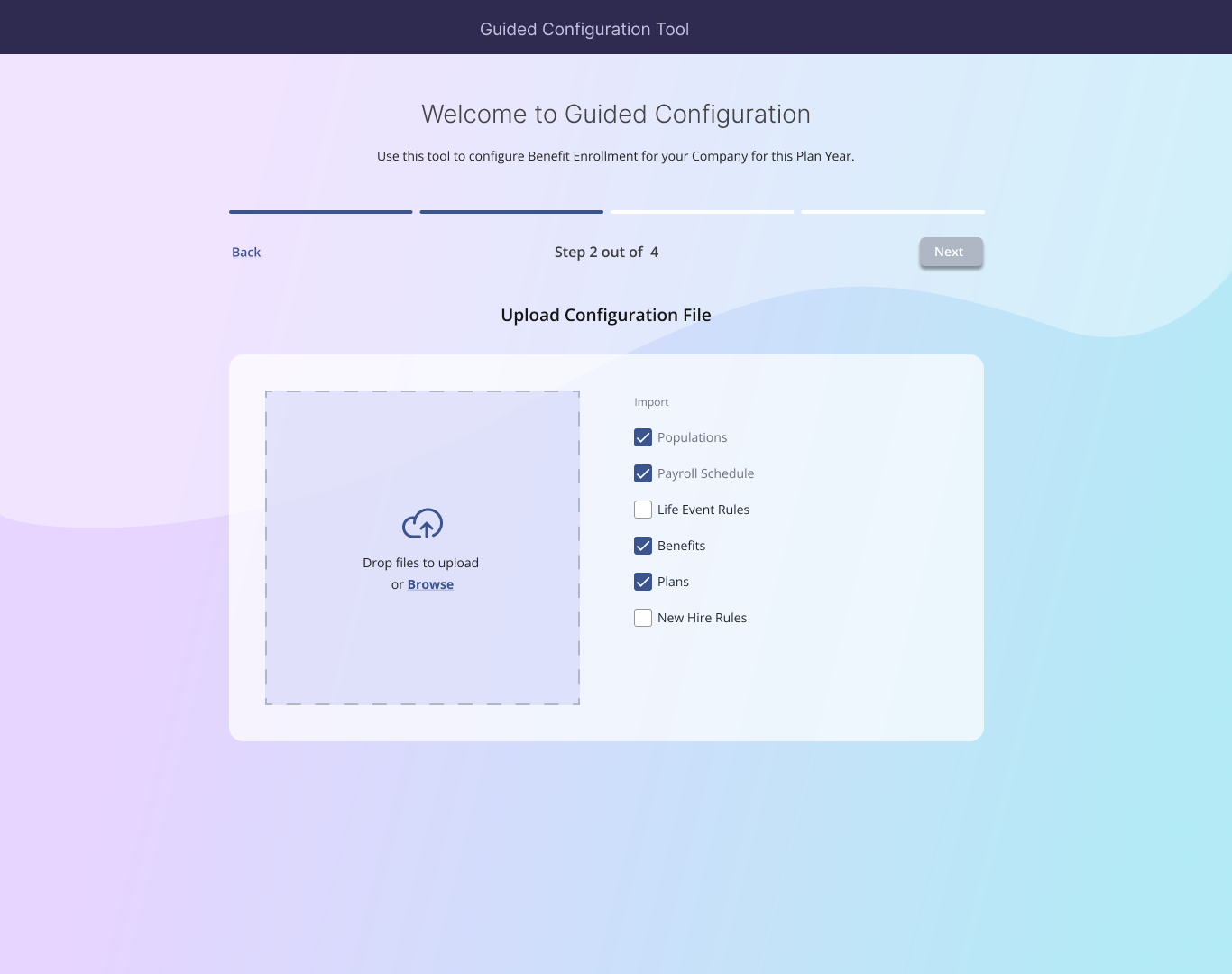
Since Dave already have collected last year's configuration file from the client he selects corresponding option. Now he can upload the configuration file and choose which all sections should it be used for.

Since Dave already have collected last year's configuration file from the client he selects corresponding option. Now he can upload the configuration file and choose which all sections should it be used for.

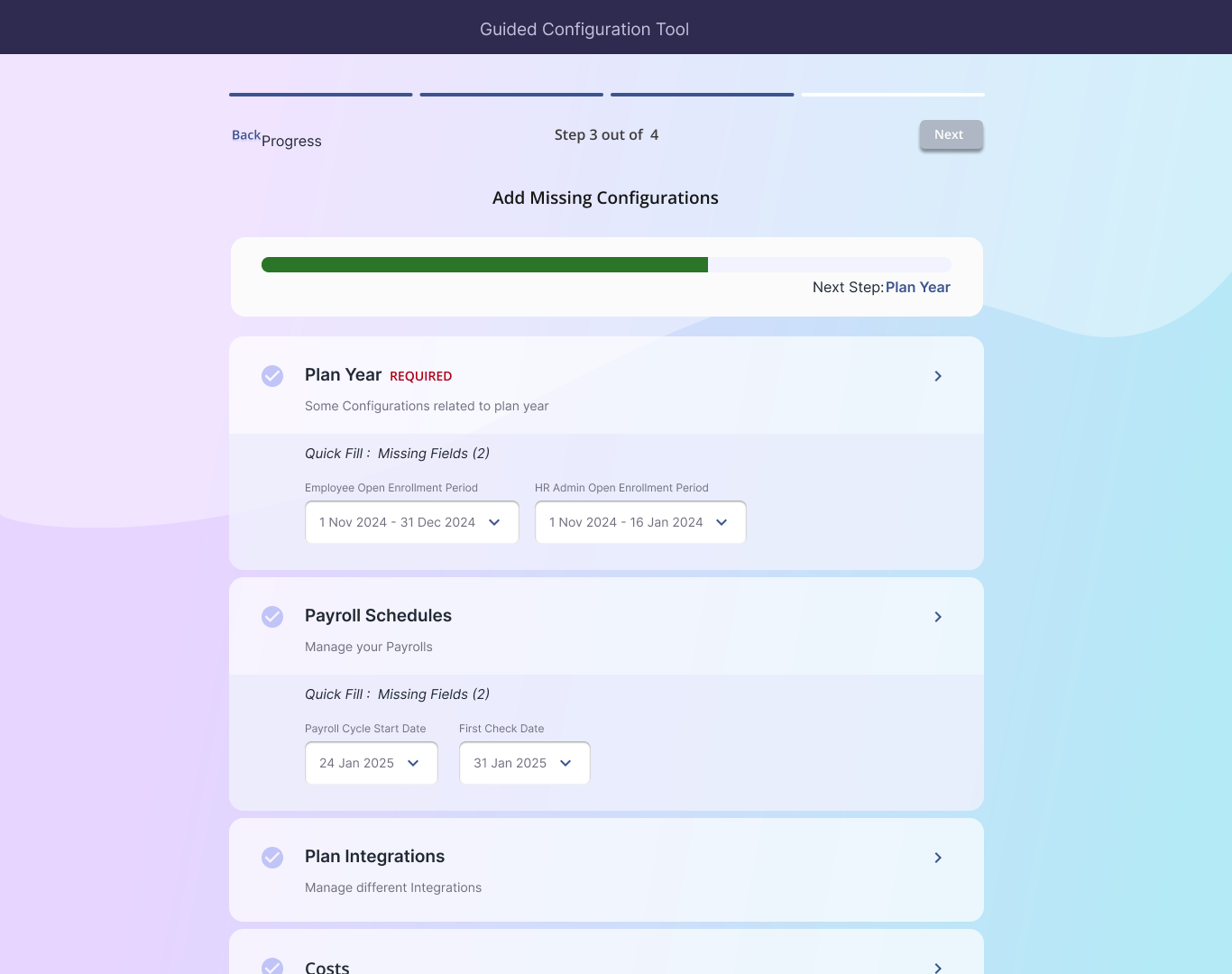
Our system uses AI to read the configuration file, extract all the information and pre-fills most of the configuration. The missing information is requested in the next step.

We also added a quick fill function. i.e. If there are only a few fields to fill in a particular section it would be presented outright and user need not go into the corresponding page to fill in all the details.

Our system uses AI to read the configuration file, extract all the information and pre-fills most of the configuration. The missing information is requested in the next step.

We also added a quick fill function. i.e. If there are only a few fields to fill in a particular section it would be presented outright and user need not go into the corresponding page to fill in all the details.

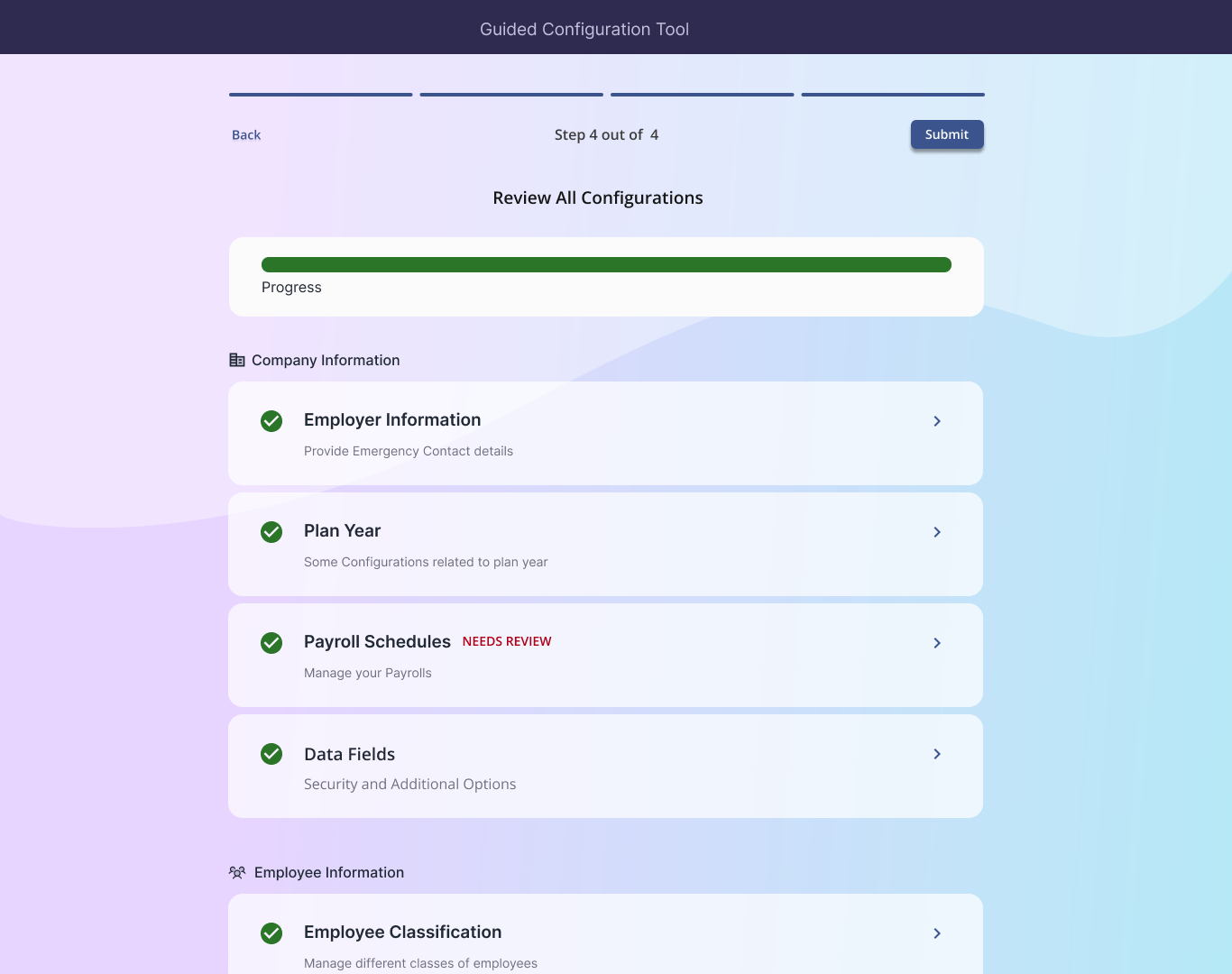
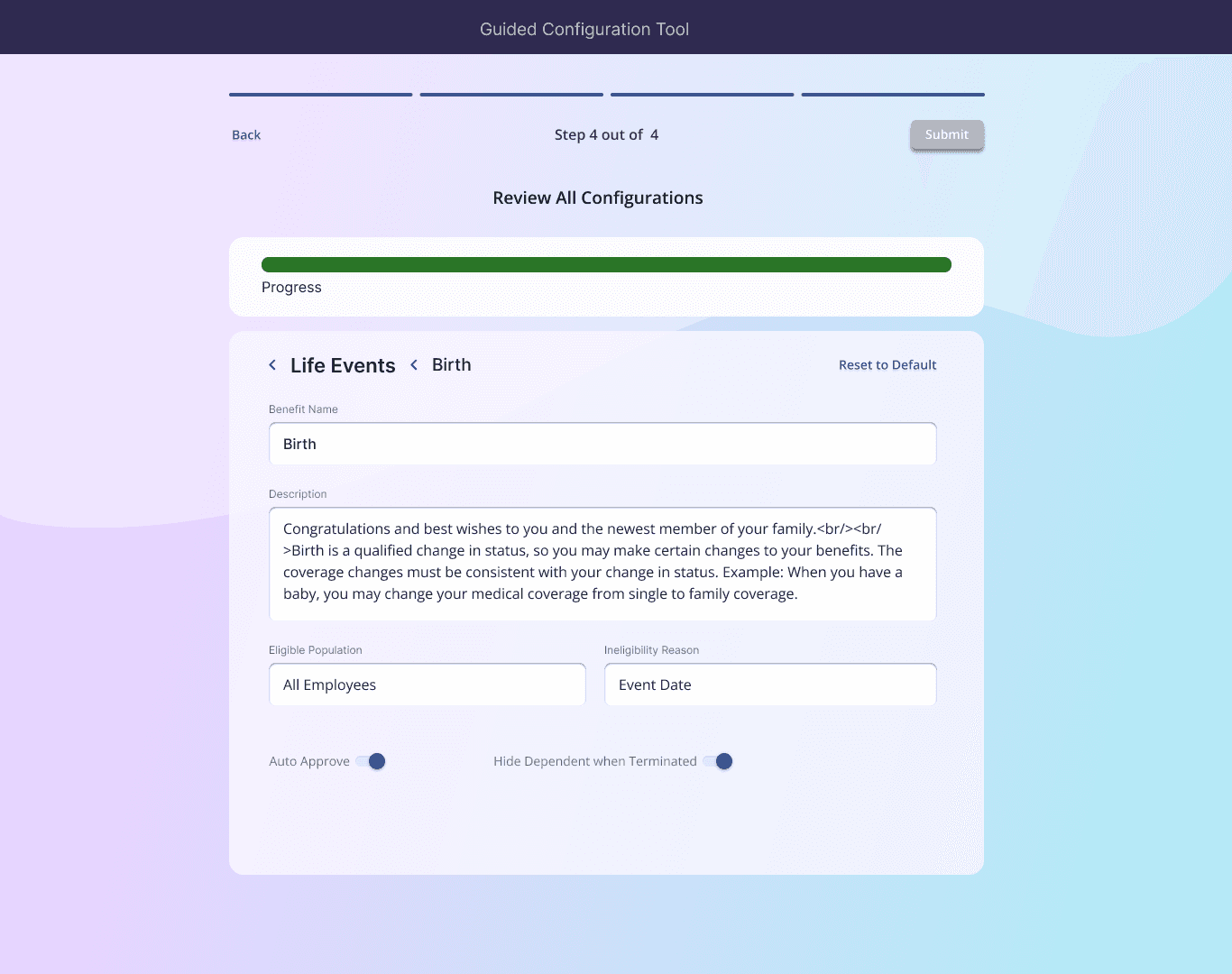
Once Dave filled in all information in next step he could review the entire configuration, including the autofilled ones. If there is any section that specifically require user attention due to mismatches or warnings it would be highlighted.

Once Dave filled in all information in next step he could review the entire configuration, including the autofilled ones. If there is any section that specifically require user attention due to mismatches or warnings it would be highlighted.

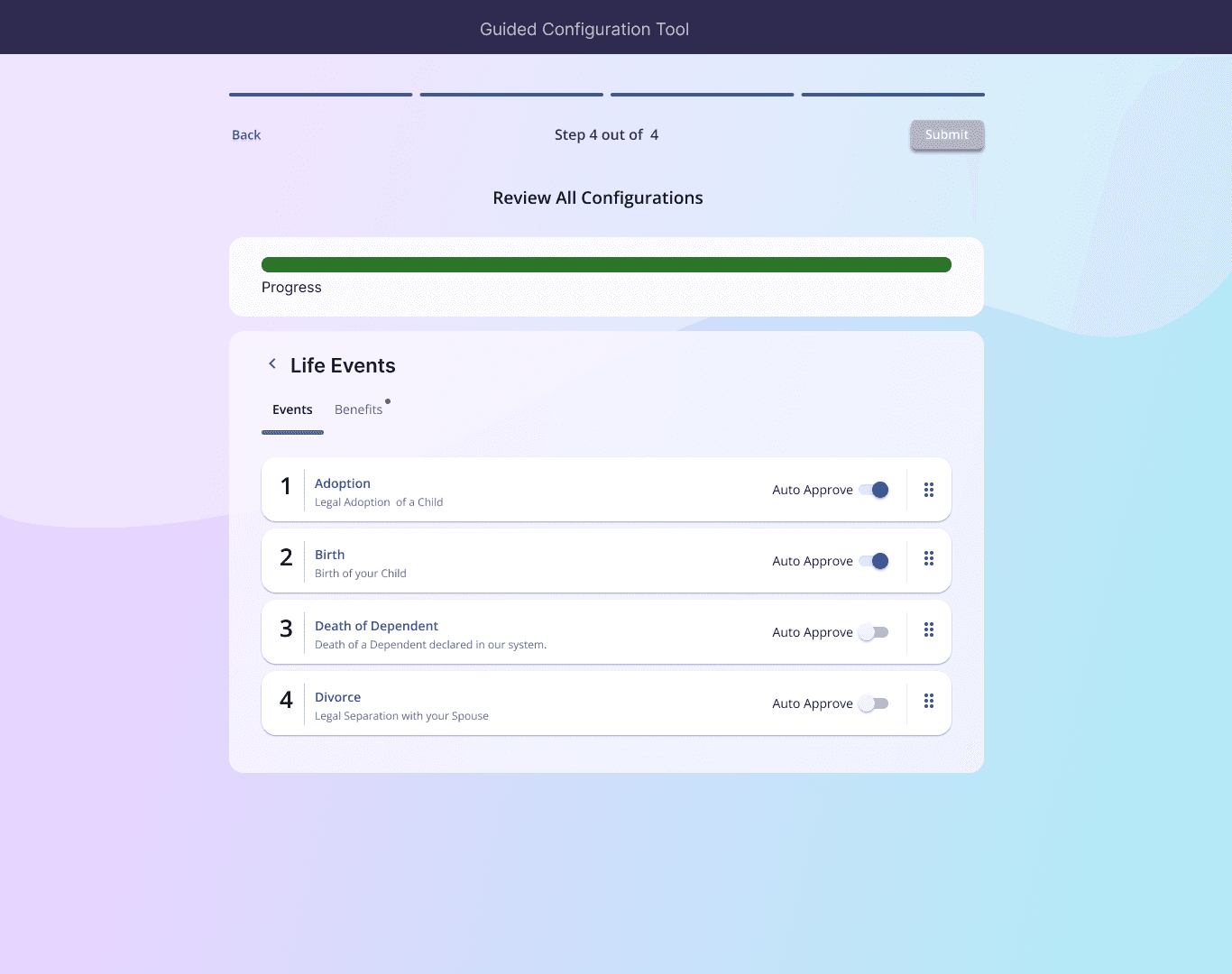
User can enter each of the individual section review it and make changes if necessary.

User can enter each of the individual section review it and make changes if necessary.

We also added other ways of doing configurations like using AI, Templates etc.

We redesigned all of the configuration pages made it simpler by removing redundancies, properly grouping things and improving aesthetically.

We also added other ways of doing configurations like using AI, Templates etc.

We redesigned all of the configuration pages made it simpler by removing redundancies, properly grouping things and improving aesthetically.

THE OUTCOME

THE OUTCOME

Impact and results

Impact and results

Drastic (More than 90%) reduction in amount of time it takes to configure a client

Drastic (More than 90%) reduction in amount of time it takes to configure a client

Greatly Increased the number of configurations support team could handle.

Greatly Increased the number of configurations support team could handle.

RElated CASESTUDIES

RElated CASESTUDIES

Reach Out

Reach Out